
Choosing a UniFi router: built-in Wi-Fi or a separate access point?
By FöretagsWifi · Published
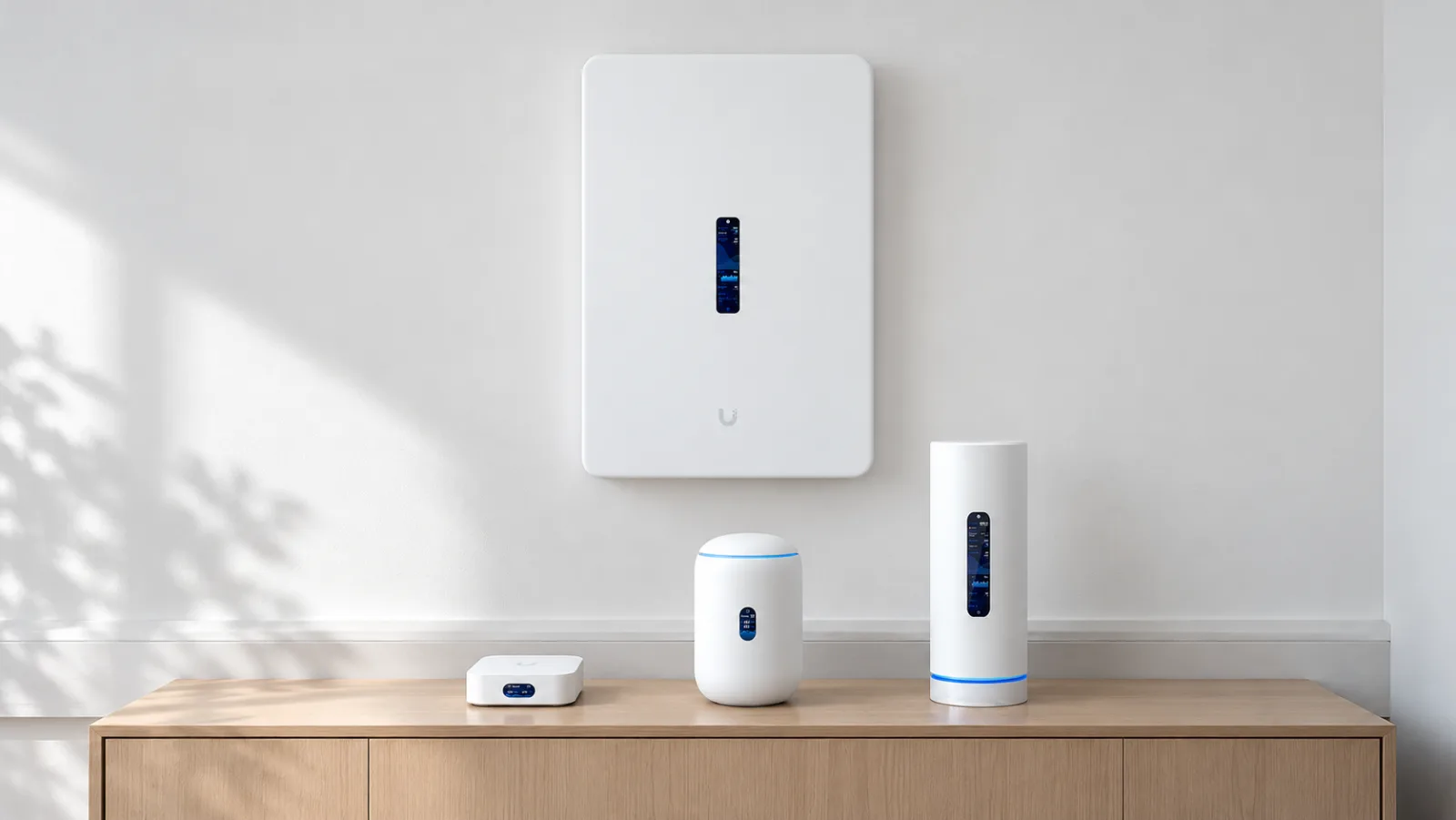
Short answer: for an apartment, a smaller house or a small office, a UniFi Cloud Gateway with built-in Wi-Fi is often enough, such as the UniFi Express 7 or the Dream Router 7. If Wi-Fi has to cover a larger area, sit on the ceiling or grow over time, a compact Cloud Gateway with separate access points is usually the better choice. Below we go through the differences, what PoE is and who each model suits.
A regular home router or UniFi?
A regular home router is a single box that does everything: it connects you to the internet, provides Wi-Fi and keeps its settings in its own app or web page. That is convenient, but when you want better coverage or more features, you often replace the whole box.
UniFi splits the same job into roles:
- Gateway – the router and firewall that connects the network to the internet.
- Switches – more network ports, often with power for other devices (PoE).
- Access points – what transmits the Wi-Fi.
- UniFi Network – the software that manages all of the above from one place, in the browser or the app.
A Cloud Gateway is the gateway and the software in one device. The models with built-in Wi-Fi are also an access point, which makes them the closest thing to a regular home router.
The split feels unfamiliar at first, but in practice you manage everything in one app, and you can add or replace one part at a time instead of the whole network. Our experience from installations is that UniFi equipment lasts a long time and is easy to extend later.
All in one, or a gateway plus an access point?
There are two common ways to start:
- Everything in one device. A Cloud Gateway with built-in Wi-Fi, such as the UniFi Express 7 or the Dream Router 7. One device, few cables and the lowest cost. The limitation is that Wi-Fi comes from wherever the router sits, often in a corner where the fibre comes in.
- Gateway and access point separately. A compact Cloud Gateway, such as the Cloud Gateway Fiber, sits in the network cabinet. One or more access points sit on the ceiling in the middle of the area they cover. This usually gives better coverage and is easy to extend, but needs network cable to the access points and power through PoE.
So the choice is mostly about how large an area you need to cover and where the router can go. Both paths can be extended, because every Cloud Gateway can manage more UniFi access points.
What is PoE?
PoE (Power over Ethernet) means that power runs in the same network cable as the data. An access point on the ceiling or a camera on the wall then needs no power outlet of its own. Something in the network has to supply the power, though: a PoE switch, a PoE injector or a gateway with PoE ports.
Ubiquiti lists four classes, with the maximum power per port:
- PoE: 15.4 W
- PoE+: 30 W
- PoE++: 60 W
- PoE+++: 90 W
Check the access point’s datasheet for the class it needs. A gateway’s PoE budget is the total power it can supply to all its PoE ports together. The Dream Router 7, for example, has one PoE port and a 15.4 W budget, while the Dream Wall can power twelve devices with 420 W in total. The compact Cloud Gateway Ultra and Cloud Gateway Max have no PoE output at all.
Cloud Gateways with built-in Wi-Fi
Wi-Fi integrated
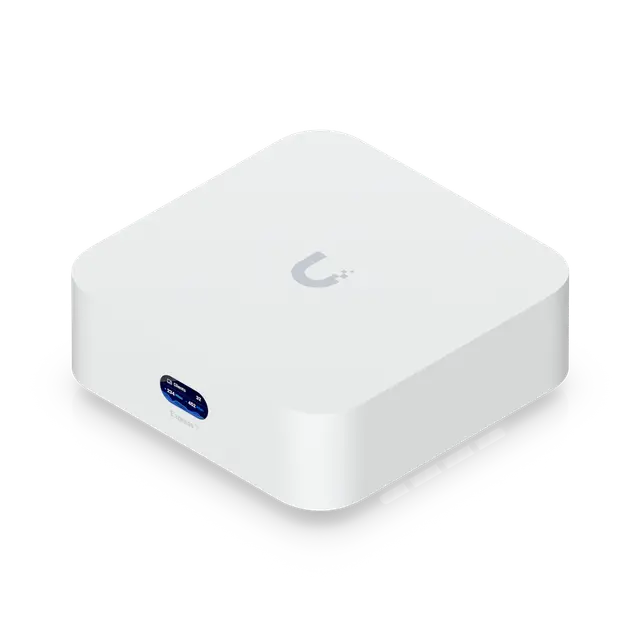
UniFi Express 7 UX7
from €179 excl. VAT
- Clients
- 300+
- UniFi devices
- 30+
- Ports
- 1 × 2.5 Gbps RJ451 × 10 Gbps RJ45
- Routing with IDS/IPS
- 2.3 Gbps
- Wi-Fi
- Wi-Fi 7
Good to know
- Also sold as 2- and 3-packs, for example for multi-unit mesh setups.
- Can be adopted by another UniFi console, but only as an access point.
More about UniFi Express 7 →Price from Ubiquiti’s EU store, 2026-10-16
The Express 7 is the smallest and least expensive Cloud Gateway, with Wi-Fi 7 on all three bands (2.4, 5 and 6 GHz). It has two ports and runs only UniFi Network, so not the Protect camera application.
It suits an apartment or a smaller house, and it is a very good start for mesh. The Express 7 is also sold in 2- and 3-packs: one unit becomes the gateway and the others connect as access points, by cable or wirelessly. If coverage turns out too weak later, you simply add another unit.
Wi-Fi integrated
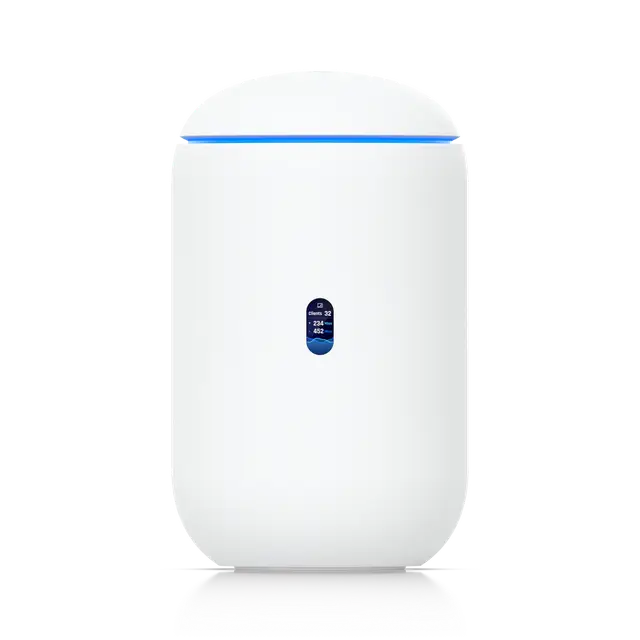
Dream Router 7 UDR7
€250 excl. VAT
- Clients
- 300+
- UniFi devices
- 30+
- Ports
- 1 × 2.5 Gbps RJ45 (PoE)3 × 2.5 Gbps RJ451 × 10 Gbps SFP+
- Routing with IDS/IPS
- 2.3 Gbps
- Wi-Fi
- Wi-Fi 7
- PoE budget
- 15.4 W
Good to know
- The PoE port provides up to 15.4 W, enough for one low-power device.
More about Dream Router 7 →Price from Ubiquiti’s EU store, 2026-10-16
The Dream Router 7 has the same Wi-Fi as the Express 7 but more ports: four 2.5 GbE ports, one with PoE, and a 10G SFP+ port for fibre or a fast switch. It runs every UniFi application, including Protect for cameras, and comes with a pre-installed microSD card for recordings.
It suits a house or a small office that wants a few wired devices, a camera or two, or an extra access point on the PoE port.
Wi-Fi integrated
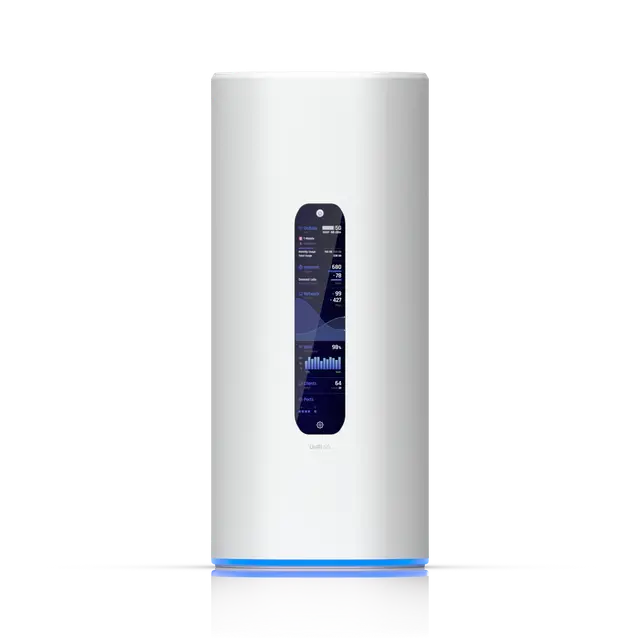
Dream Router 5G Max UDR-5G-Max
€449 excl. VAT
- Clients
- 300+
- UniFi devices
- 30+
- Ports
- 1 × 2.5 Gbps RJ45 (PoE)3 × 2.5 Gbps RJ451 × 10 Gbps SFP+
- Routing with IDS/IPS
- 2.3 Gbps
- Wi-Fi
- Wi-Fi 7
- Cellular
- 5G: 3.4 Gbps down, 560 Mbps up
Good to know
- Has a built-in 5G modem with two nano-SIM slots plus eSIM; it can serve as the primary or backup internet connection.
- The 15.4 W PoE budget covers a single PoE port.
More about Dream Router 5G Max →Price from Ubiquiti’s EU store, 2026-10-16
The Dream Router 5G Max is essentially a Dream Router 7 with a built-in 5G modem. The cellular connection can be the only internet connection or a backup when the fixed line goes down.
It suits holiday homes and places without fibre, and businesses that want a backup line without extra equipment.
Wi-Fi integrated
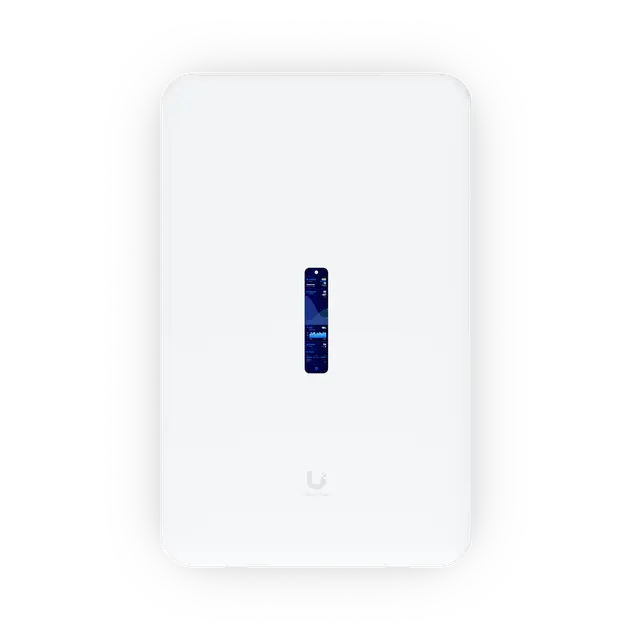
Dream Wall UDW
€499 excl. VAT
- Clients
- 300+
- UniFi devices
- 100+
- Ports
- 4 × 1 Gbps RJ45 (PoE++)4 × 1 Gbps RJ45 (PoE+)4 × 1 Gbps RJ45 (PoE)5 × 1 Gbps RJ451 × 2.5 Gbps RJ452 × 10 Gbps SFP+
- Routing with IDS/IPS
- 3.5 Gbps
- Wi-Fi
- Wi-Fi 6
- PoE budget
- 420 W
Good to know
- Wi-Fi 6 is on the 5 GHz band only; the 2.4 GHz radio is older and slower (300 Mbps).
- The 420 W PoE budget is shared across 12 PoE ports.
More about Dream Wall →Price from Ubiquiti’s EU store, 2026-10-16
The Dream Wall mounts on the wall and combines router, a 17-port switch (twelve with PoE), touchscreen and Wi-Fi in one unit. It can manage more UniFi devices than the routers above and has a PoE budget large enough for several access points and cameras.
Its Wi-Fi is Wi-Fi 6 on the 5 GHz band, and the 2.4 GHz radio is of an older generation. The Dream Wall therefore suits an office best where access points complement the built-in Wi-Fi, and where the wall mount replaces a network cabinet.
Wi-Fi integrated
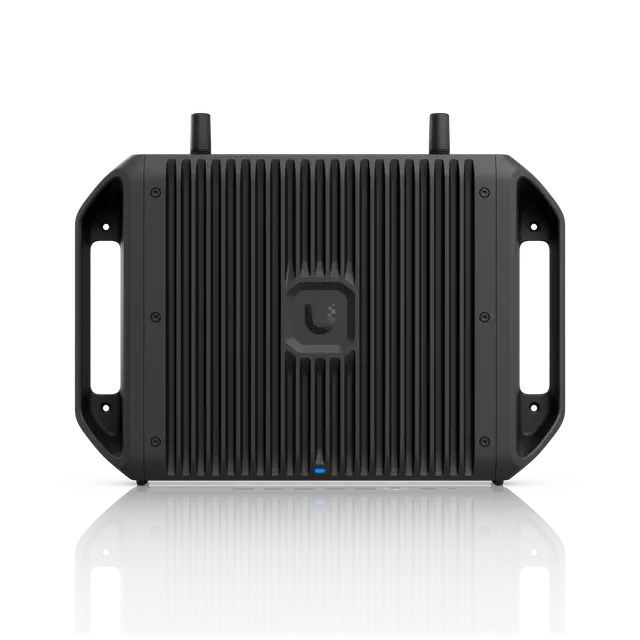
Cloud Gateway Industrial UCG-Industrial
€520 excl. VAT
- Clients
- 500+
- UniFi devices
- 50+
- Ports
- 2 × 2.5 Gbps RJ45 (PoE+++)2 × 2.5 Gbps RJ45 (PoE+)1 × 10 Gbps RJ45 (PoE+++)1 × 10 Gbps SFP+
- Routing with IDS/IPS
- 5 Gbps
- Wi-Fi
- Wi-Fi 7
- PoE budget
- 270 W
Good to know
- The 270 W PoE budget needs the included DC adapter; with ATX power the budget is 75 W.
More about Cloud Gateway Industrial →Price from Ubiquiti’s EU store, 2026-10-16
The Cloud Gateway Industrial is built for demanding environments: it is rated for −30 to 50 °C and mounts on a wall, a desk or in a rack. It has PoE ports of up to 90 W and Wi-Fi 7 on 2.4 and 5 GHz.
It suits warehouses, workshops and technical rooms that get too cold or too hot for regular network equipment.
Compare the models with built-in Wi-Fi
35 of 45 featuresSwipe sideways to see more models.
| Feature | UniFi Express 7Wi-Fi integrated | Dream Router 7Wi-Fi integrated | Dream Router 5G MaxWi-Fi integrated | Dream WallWi-Fi integrated | Cloud Gateway IndustrialWi-Fi integrated |
|---|---|---|---|---|---|
| Overview | |||||
| Price (excl. VAT) | €179 2-pack: €330 3-pack: €489 | €250 | €449 | €499 | €520 |
| UniFi applications | Network | Network, Protect, Access, Talk, Connect | Network, Protect, Access, Talk, Connect | Network, Protect, Access, Talk, Connect | Network, Protect, Access, Talk, Connect |
| Capacity | |||||
| UniFi devices | 30+ | 30+ | 30+ | 100+ | 50+ |
| Clients | 300+ | 300+ | 300+ | 300+ | 500+ |
| Cameras (HD / 2K / 4K) | – | 5 / 2 / 1 | 5 / 2 / 1 | 12 / 7 / 4 | 15 / 8 / 5 |
| Ports | |||||
| Ports | 1 × 2.5 Gbps RJ45 1 × 10 Gbps RJ45 | 1 × 2.5 Gbps RJ45 (PoE) 3 × 2.5 Gbps RJ45 1 × 10 Gbps SFP+ | 1 × 2.5 Gbps RJ45 (PoE) 3 × 2.5 Gbps RJ45 1 × 10 Gbps SFP+ | 4 × 1 Gbps RJ45 (PoE++) 4 × 1 Gbps RJ45 (PoE+) 4 × 1 Gbps RJ45 (PoE) 5 × 1 Gbps RJ45 1 × 2.5 Gbps RJ45 2 × 10 Gbps SFP+ | 2 × 2.5 Gbps RJ45 (PoE+++) 2 × 2.5 Gbps RJ45 (PoE+) 1 × 10 Gbps RJ45 (PoE+++) 1 × 10 Gbps SFP+ |
| Max WAN ports | 1 | 4 | 4 | 8 | 5 |
| PoE budget | – | 15.4 W | 15.4 W | 420 W | 270 W |
| Performance | |||||
| Routing without IDS/IPS | 10 Gbps | 10 Gbps | 10 Gbps | 10 Gbps | 5 Gbps |
| Routing with IDS/IPS | 2.3 Gbps | 2.3 Gbps | 2.3 Gbps | 3.5 Gbps | 5 Gbps |
| WireGuard VPN | 500 Mbps* (From a community source) | 500 Mbps* (From a community source) | Not specified | 600 Mbps* (From a community source) | Not specified |
| Wireless | |||||
| Wi-Fi | Wi-Fi 7 | Wi-Fi 7 | Wi-Fi 7 | Wi-Fi 6 | Wi-Fi 7 |
| Radios | 6 GHz 2×2: 5.7 Gbps 5 GHz 2×2: 4.3 Gbps 2.4 GHz 2×2: 688 Mbps | 6 GHz 2×2: 5.7 Gbps 5 GHz 2×2: 4.3 Gbps 2.4 GHz 2×2: 688 Mbps | 6 GHz 2×2: 5.7 Gbps 5 GHz 2×2: 4.3 Gbps 2.4 GHz 2×2: 688 Mbps | 5 GHz 4×4: 2.4 Gbps 2.4 GHz 2×2: 300 Mbps | 5 GHz 2×2: 4.3 Gbps 2.4 GHz 2×2: 688 Mbps |
| Coverage | 160 m² | 160 m² | 160 m² | 140 m² | 115 m² |
| Adoptable as access point | Yes | No* (From a community source) | Not specified | No* (From a community source) | Not specified |
| Cellular | – | – | 5G: 3.4 Gbps down, 560 Mbps up | – | – |
| Security and VPN | |||||
| Dynamic routing | OSPF | OSPF | OSPF | OSPF, BGP | OSPF, BGP |
| Multi-WAN load balancing | No | Yes | Yes | Yes | Yes |
| Hardware | |||||
| CPU | ARM Cortex-A53, 4 cores, 1.5 GHz | ARM Cortex-A53, 4 cores, 1.5 GHz | ARM Cortex-A53, 4 cores, 1.5 GHz | ARM Cortex-A57, 4 cores, 1.7 GHz | ARM Cortex-A73, 4 cores, 2.2 GHz |
| Chipset (SoC) | Qualcomm IPQ5332 | Qualcomm IPQ5332 | Qualcomm IPQ5322 | Annapurna Labs AL-324* (From a community source) | Not specified |
| Wi-Fi chip | Qualcomm QCN9274 | Qualcomm QCN9274 | Qualcomm QCN6274 | MediaTek MT7603E + MediaTek MT7615 | Not specified |
| RAM | 3 GB | 3 GB | 3 GB | 4 GB | 3 GB |
| RAM type | DDR4* (From a community source) | DDR4* (From a community source) | Not specified | DDR4* (From a community source) | Not specified |
| Built-in storage | 16 GB eMMC* (From a community source) | 64 GB microSD | 64 GB microSD | 16 GB eMMC 128 GB SSD 512 GB microSD | 128 GB microSD |
| Storage slots | – | microSD slot | microSD slot | microSD slot (max 1 TB) | microSD slot |
| Display | 0.96" status display | 0.96" status display | 4.7" touchscreen | 4.7" touchscreen | – |
| Cooling | Fan | Fan | Fan | Fan | Fanless* (From a community source) |
| Power | |||||
| Power supply | USB-C adapter | Internal power supply | DC adapter | Hot-swappable power supplies | DC adapter |
| Max power draw | 22 W | 26 W (excl. PoE) | 34.5 W (excl. PoE) | 532 W (incl. PoE) | 28 W (excl. PoE) |
| Redundant power supply | No | No | No | Yes | No |
| Physical | |||||
| Mounting | Desktop | Desktop | Desktop | Wall | Wall, Desktop, Rack |
| Dimensions | 117 × 117 × 42.5 mm | ⌀110 × 184.1 mm | 110 × 110 × 250 mm | 549 × 342 × 62 mm | 307.9 × 203.5 × 43.7 mm |
| Weight | 443 g | 1.1 kg | 1.4 kg | 8.6 kg | 2.4 kg |
| Operating temperature | -10 to 40 °C | -10 to 40 °C | 0 to 40 °C | -10 to 40 °C | -30 to 50 °C |
| Good to know | |||||
| Notes | Also sold as 2- and 3-packs, for example for multi-unit mesh setups. Can be adopted by another UniFi console, but only as an access point. | The PoE port provides up to 15.4 W, enough for one low-power device. | Has a built-in 5G modem with two nano-SIM slots plus eSIM; it can serve as the primary or backup internet connection. The 15.4 W PoE budget covers a single PoE port. | Wi-Fi 6 is on the 5 GHz band only; the 2.4 GHz radio is older and slower (300 Mbps). The 420 W PoE budget is shared across 12 PoE ports. | The 270 W PoE budget needs the included DC adapter; with ATX power the budget is 75 W. |
* From a community source, such as McCann Tech’s comparisons, not from Ubiquiti.
Prices in euros excluding VAT from Ubiquiti’s EU store, fetched 2026-10-16. The store may add a temporary surcharge for memory costs of about 10%.
“Not specified” means that neither Ubiquiti nor the sources we use state the value. “–” means it does not apply to the product.
Compact Cloud Gateways
The compact models run the same software but have no Wi-Fi. They sit on a desk or in the network cabinet, and Wi-Fi comes from separate access points.
- Cloud Gateway Ultra is the least expensive way in. Its routing capacity is 1 Gbps, so it suits connections up to 1 Gbps. It runs only UniFi Network.
- Cloud Gateway Max has five 2.5 GbE ports and runs every UniFi application. It comes with an SSD, for example for camera recordings. The Cloud Gateway Max NS is the same unit without an SSD.
- Cloud Gateway Fiber has two 10G SFP+ ports and one 10 GbE port, and routes up to 10 Gbps. It has room for an NVMe SSD and a 30 W PoE budget.
Compare the compact models
21 of 45 featuresSwipe sideways to see more models.
| Feature | 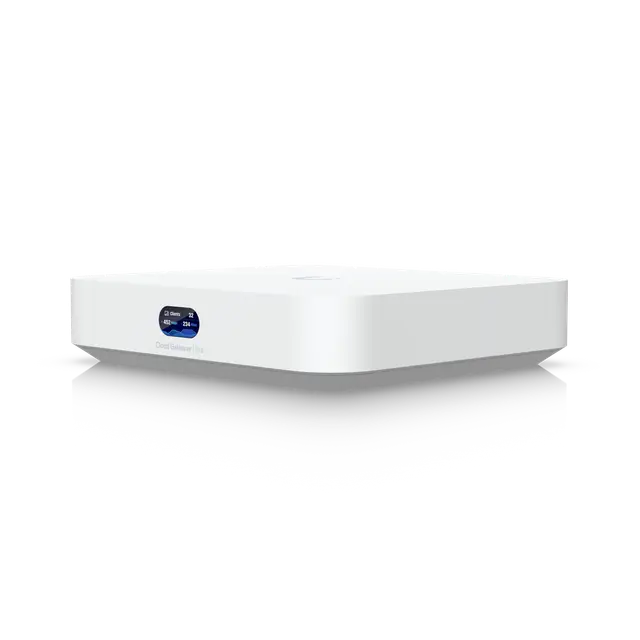 Cloud Gateway UltraCompact Cloud Gateway UltraCompact | 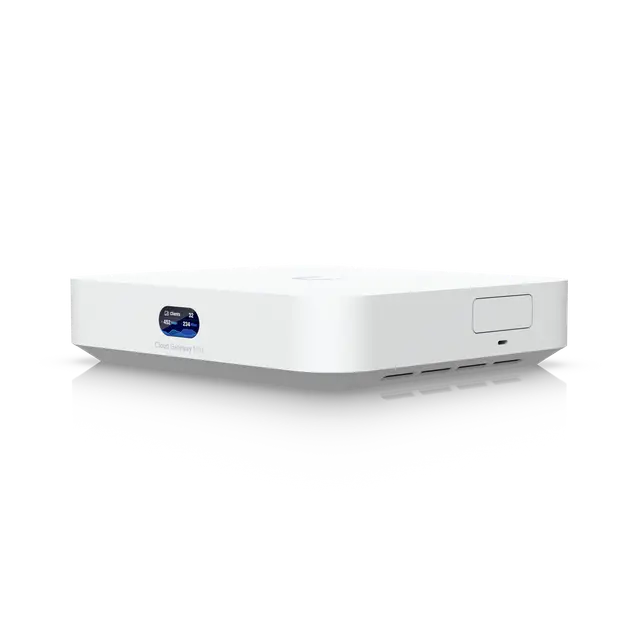 Cloud Gateway MaxCompact Cloud Gateway MaxCompact | 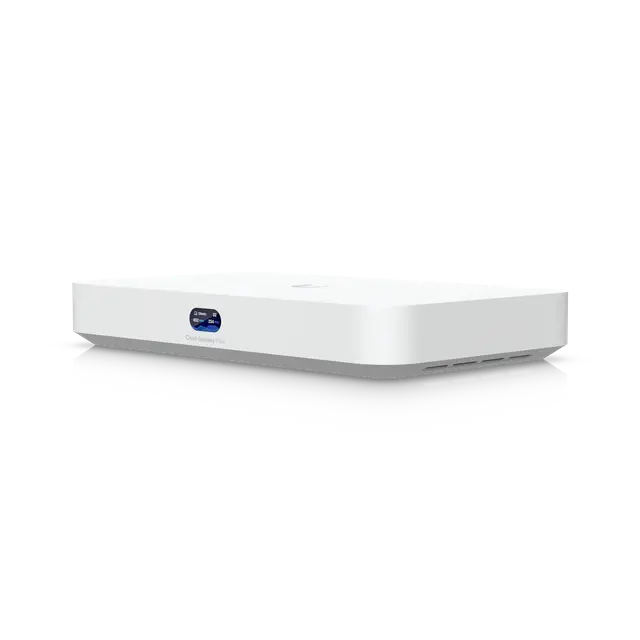 Cloud Gateway FiberCompact Cloud Gateway FiberCompact |
|---|---|---|---|
| Overview | |||
| Price (excl. VAT) | €90 | Without pre-installed storage: €179 With 512 GB SSD: €250 | €250 |
| UniFi applications | Network | Network, Protect, Access, Talk, Connect | Network, Protect, Access, Talk, Connect |
| Capacity | |||
| UniFi devices | 30+ | 30+ | 50+ |
| Clients | 300+ | 300+ | 500+ |
| Cameras (HD / 2K / 4K) | – | 15 / 8 / 5 | 15 / 8 / 5 |
| Ports | |||
| Ports | 4 × 1 Gbps RJ45 1 × 2.5 Gbps RJ45 | 5 × 2.5 Gbps RJ45 | 4 × 2.5 Gbps RJ45 1 × 10 Gbps RJ45 2 × 10 Gbps SFP+ |
| Max WAN ports | 4 | 4 | 6 |
| PoE budget | – | – | 30 W |
| Performance | |||
| Routing without IDS/IPS | 1 Gbps | 2.5 Gbps | 10 Gbps |
| Routing with IDS/IPS | 1 Gbps | 2.3 Gbps | 5 Gbps |
| WireGuard VPN | 500 Mbps* (From a community source) | 500 Mbps* (From a community source) | 1.2 Gbps* (From a community source) |
| Hardware | |||
| CPU | ARM Cortex-A53, 4 cores, 1.5 GHz | ARM Cortex-A53, 4 cores, 1.5 GHz | ARM Cortex-A73, 4 cores, 2.2 GHz |
| Chipset (SoC) | Qualcomm IPQ5322 | Qualcomm IPQ5322 | Qualcomm IPQ9570 |
| Storage slots | – | NVMe slot (max 2 TB, tray sold separately) | NVMe slot (max 2 TB, tray sold separately) |
| Cooling | Fanless | Fan | Fan |
| Power | |||
| Power supply | USB-C adapter | USB-C adapter | DC adapter |
| Max power draw | 6.2 W | 16.1 W | 29.4 W (excl. PoE) |
| Physical | |||
| Dimensions | 141.8 × 127.6 × 30 mm | 141.8 × 127.6 × 30 mm | 212.8 × 127.6 × 30 mm |
| Weight | 520 g | 460 g | 675 g |
| Operating temperature | -10 to 40 °C | -10 to 40 °C | 0 to 40 °C |
| Good to know | |||
| Notes | The WAN port runs at 2.5 Gbps, but routing tops out at 1 Gbps, so an internet plan faster than 1 Gbps cannot be fully used. Has no PoE output, so access points need a PoE switch or a PoE injector. | Without an SSD, Protect cannot record on the device. Choose the variant with an SSD or fit your own drive to record cameras. Has no PoE output, so access points need a PoE switch or a PoE injector. | Has an M.2 NVMe slot for storage such as camera recordings; the SSD is not included. |
* From a community source, such as McCann Tech’s comparisons, not from Ubiquiti.
Prices in euros excluding VAT from Ubiquiti’s EU store, fetched 2026-10-16. The store may add a temporary surcharge for memory costs of about 10%.
“Not specified” means that neither Ubiquiti nor the sources we use state the value. “–” means it does not apply to the product.
Which one suits you?
- Apartment or smaller house: UniFi Express 7. If coverage turns out too weak, add more Express 7 units as mesh.
- House or small office with cameras: Dream Router 7. If the router has to sit in a cabinet, choose the Cloud Gateway Max with an access point on the ceiling instead.
- Holiday home or a place without fibre: Dream Router 5G Max.
- Fast fibre, above 1 Gbps: Cloud Gateway Fiber with access points, or the Express 7 and Dream Router 7, which according to Ubiquiti handle 2.3 Gbps even with IDS/IPS turned on.
- Office with many wired devices: Dream Wall, or Cloud Gateway Fiber with a PoE switch and access points.
To see every model, including the rack-mounted ones, go to the comparison of all Cloud Gateways.
Frequently asked questions
Do I need a Cloud Gateway to use UniFi?
A UniFi network is managed by the UniFi Network software. A Cloud Gateway runs that software and is also the router and firewall, which makes it the simplest way to get started. You can also run the software on your own server, but then you need a router as well.
Can I add more access points later?
Yes. Every Cloud Gateway can manage UniFi access points, connected by cable or wirelessly through mesh. The UniFi Express 7 is also sold in 2- and 3-packs, where one unit is the gateway and the others can be used as access points.
What does PoE mean?
Power over Ethernet: power runs in the same network cable as the data. An access point on the ceiling then needs no power outlet of its own, but something in the network has to supply the power, such as a PoE switch, a PoE injector or a gateway with PoE ports.
Do the prices include VAT?
No. Prices are in euros excluding VAT and come from Ubiquiti’s EU store. The date we fetched them is shown under the tables and on the product cards.