
Choosing a UniFi access point: PoE, placement, bands and Wi-Fi generations
By FöretagsWifi · Published
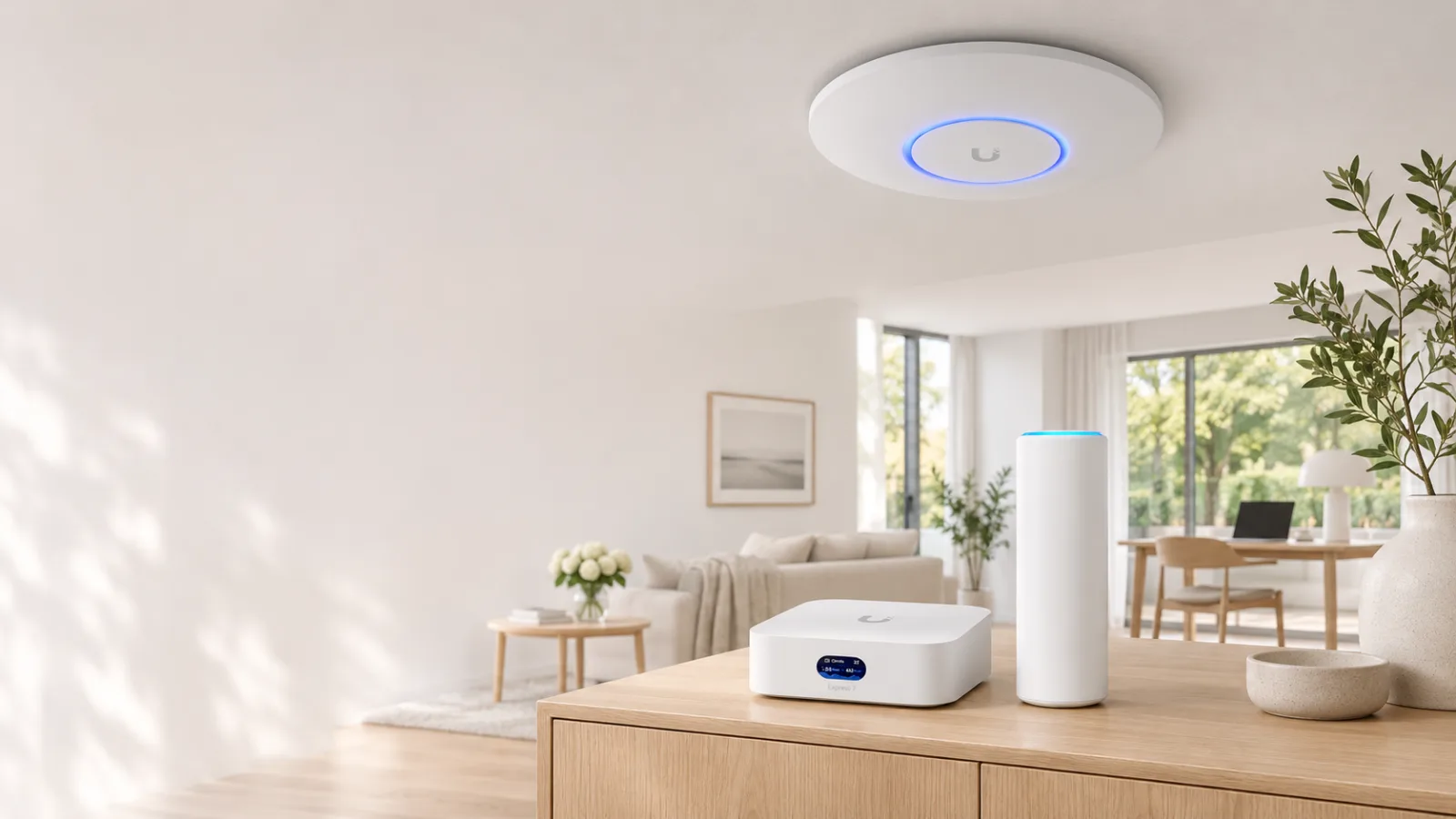
Short answer: the access point is what sends out the Wi-Fi in a UniFi network. It usually sits on the ceiling, connects with a network cable and gets its power through the same cable, with PoE. For most homes and small offices a Wi-Fi 7 model such as the U7 Pro is a good choice, and one per floor is a good start. We begin with the basics and then go deeper step by step: speed, bands, channel width, streams and Wi-Fi generations.
What does an access point do?
The gateway connects the network to the internet, and the switch connects everything that uses a cable. The access point turns the network into radio, so phones, computers and TVs can connect without a cable.
Many people start with a Cloud Gateway with built-in Wi-Fi, such as the UniFi Express 7, and in a flat it is often enough. When it doesn’t reach far enough, to another floor, through thick walls or out into the garden, you add access points. They all send the same network with the same name and password, and your phone switches by itself to one it hears better when the current one gets too weak.
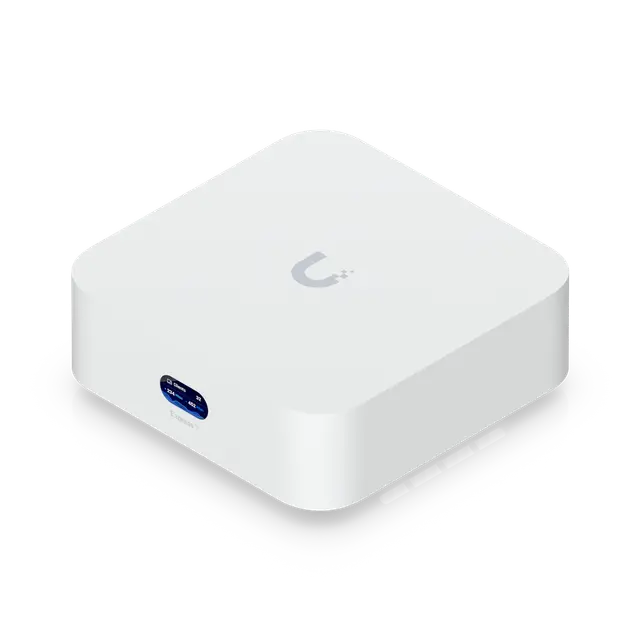
Wi-Fi integrated
UniFi Express 7 UX7
from €179 excl. VAT
- Clients
- 300+
- UniFi devices
- 30+
- Ports
- 1 × 2.5 Gbps RJ451 × 10 Gbps RJ45
- Routing with IDS/IPS
- 2.3 Gbps
- Wi-Fi
- Wi-Fi 7
Good to know
- Also sold as 2- and 3-packs, for example for multi-unit mesh setups.
- Can be adopted by another UniFi console, but only as an access point.
More about UniFi Express 7 →Price from Ubiquiti’s EU store, 2026-11-07
A handy companion to the Express 7 is the U7 Mesh or the U6 Mesh. Both work indoors and outdoors, can stand on a shelf or go on a wall or a pole, and come with a PoE adapter in the box, so a wall socket and a network cable are all they need. The U7 Mesh has Wi-Fi 7 and a 2.5 GbE port; the U6 Mesh has Wi-Fi 6 but 4×4 on 5 GHz (more on that further down). Both can also connect wirelessly to another access point, known as mesh, but every wireless hop roughly halves the speed, so a cable always works best.
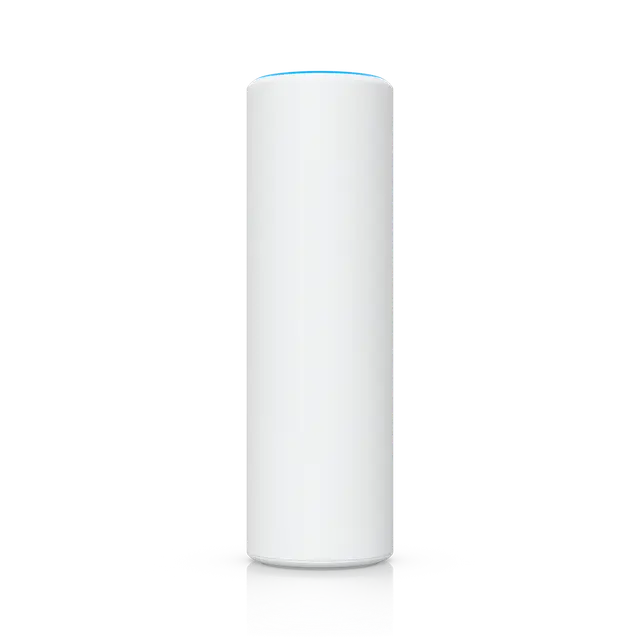
Outdoor and mesh
Access Point U7 Mesh U7-Mesh
€179 excl. VAT
- Wi-Fi standard
- Wi-Fi 7
- Bands and top speed
- 5 GHz 2×2: 4.3 Gbps (240 MHz)2.4 GHz 2×2: 688 Mbps (40 MHz)
- Network port
- 2.5 Gbps Ethernet
- PoE needed
- PoE
- Max power draw
- 13 W
- Mounting
- Desktop, Wall, Pole
Good to know
- The IPX6 rating applies when it is installed with the outdoor mount.
- Cables with shorter boots are recommended.
More about Access Point U7 Mesh →Price from Ubiquiti’s EU store, 2026-11-07
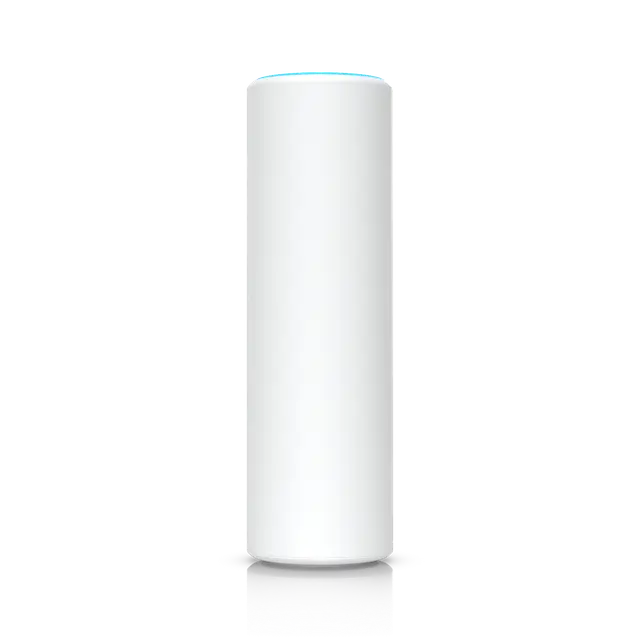
Outdoor and mesh
Access Point U6 Mesh U6-Mesh
€160 excl. VAT
- Wi-Fi standard
- Wi-Fi 6
- Bands and top speed
- 5 GHz 4×4: 4.8 Gbps (160 MHz)2.4 GHz 2×2: 574 Mbps (40 MHz)
- Network port
- 1 Gbps Ethernet
- PoE needed
- PoE
- Max power draw
- 13 W
- Mounting
- Desktop, Wall, Pole
Good to know
- The IPX5 rating applies when it is installed LED side up with the included pole or wall mount.
- An in-ceiling mount (Mesh AP In-Ceiling Mount) is available as an accessory and is not included.
More about Access Point U6 Mesh →Price from Ubiquiti’s EU store, 2026-11-07
Power: PoE from a switch or an injector
Almost every access point runs on PoE (Power over Ethernet): power and network in the same cable. No socket is needed on the ceiling, only a network cable from there to the switch.
The power usually comes from a PoE switch, which supplies power on its PoE ports. Without a PoE switch, a PoE injector does the job. Ubiquiti calls it a PoE adapter: a small box with its own power cord that sits between the switch or router and the access point and adds power to the cable.
Some models come with a PoE adapter in the box, such as the U7 Mesh and the U6 Mesh. Most others don’t, and their product page then says so under “Heads up!”. In the comparison you can filter for the models that include one.
Two things decide whether the power is enough:
- The PoE class. The access point needs a certain class, and the switch port or injector must give at least that. PoE gives up to 15 W per port, PoE+ up to 30 W and PoE++ up to 60 W. That is measured at the switch; a little is lost in the cable, so the access point gets about 13, 25 and 51 W. The U7 Lite manages with PoE, the U7 Pro needs PoE+ and the U7 Pro XGS PoE++.
- The PoE budget. All PoE ports on a switch share one total amount of power. Add up the access points’ maximum power draw and compare it with the switch’s budget. Three U7 Pros draw up to 21 W each, 63 W together, which is more than the 52 W the Switch Lite 8 PoE can give.
In the comparison you filter on the PoE needed and on maximum power draw. The switches’ PoE classes and budgets are in the UniFi switch comparison, and the switch article explains PoE in more detail.
Why does the access point go on the ceiling?
Most access points are built for the ceiling. The antennas inside send outwards and downwards, much as a ceiling lamp lights a room. Ubiquiti calls its most common models ceiling-mounted, and its coverage diagrams assume the access point is on the ceiling.
From the ceiling the signal has a clear path over furniture, people and screens that would otherwise block it, and it spreads evenly across the room. Put the access point in the middle of the area it should cover, not in a corner and not inside a storeroom or a cupboard.
The ceiling models’ mount also fits a wall, and that works, but flat against a wall they send much of their signal into the wall and to the floors above and below. Where the ceiling won’t do, there are models built for walls:
- Wall models such as the U7 Pro Wall send out into the room in front of them.
- In-wall models such as the U7 In-Wall mount on the wall where a network socket is. They cover one room at a time and have a few network ports for the TV, the computer or the games console. They suit hotels, rented rooms and houses with thick walls and a socket in every room.
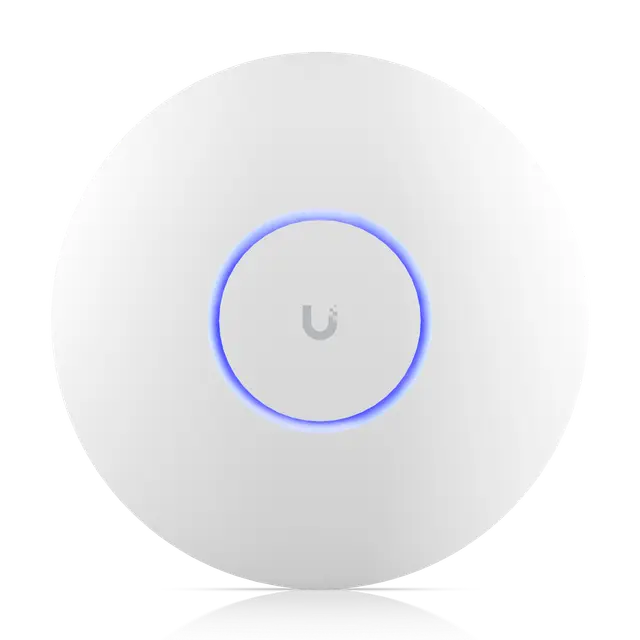
Ceiling
Access Point U7 Pro U7-Pro
from €160 excl. VAT
- Wi-Fi standard
- Wi-Fi 7
- Bands and top speed
- 6 GHz 2×2: 5.8 Gbps (320 MHz)5 GHz 2×2: 4.3 Gbps (240 MHz)2.4 GHz 2×2: 688 Mbps (40 MHz)
- Network port
- 2.5 Gbps Ethernet
- PoE needed
- PoE+
- Max power draw
- 21 W
- Mounting
- Ceiling, Wall
More about Access Point U7 Pro →Price from Ubiquiti’s EU store, 2026-11-07
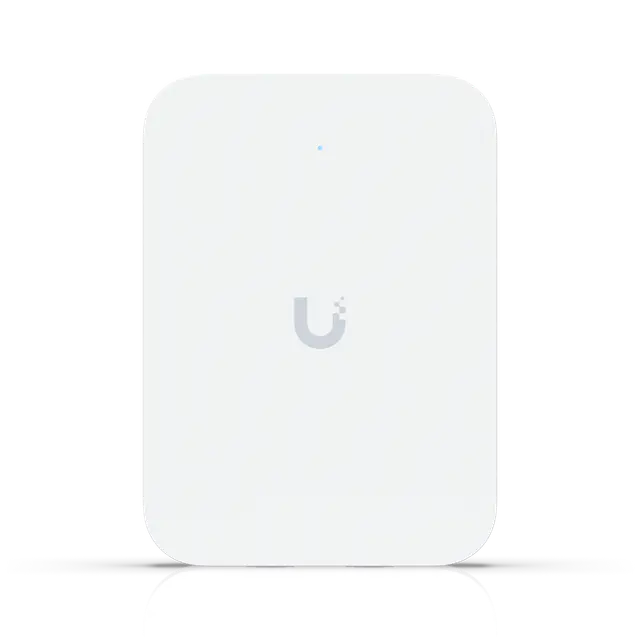
Wall
Access Point U7 In-Wall U7-IW
€135 excl. VAT
- Wi-Fi standard
- Wi-Fi 7
- Bands and top speed
- 5 GHz 2×2: 4.3 Gbps (240 MHz)2.4 GHz 2×2: 688 Mbps (40 MHz)
- Network port
- 2.5 Gbps Ethernet
- PoE needed
- PoE
- Max power draw
- 13 W (excl. PoE)
- Mounting
- Wall
Good to know
- Designed for room-by-room coverage, for example in hotels; the radio is tuned to limit signal bleeding into adjacent rooms.
More about Access Point U7 In-Wall →Price from Ubiquiti’s EU store, 2026-11-07
Cable and Wi-Fi speeds are counted differently
From here on it gets a little more technical. First: why is Wi-Fi almost never as fast as the box says?
A gigabit connection (1 GbE) over a cable gives 1 Gbps in both directions at once, known as full duplex. After what the protocol itself uses, about 940 Mbps of useful data is left in each direction, and that is roughly what a speed test shows.
Wi-Fi is given as a link rate: how fast the radio sends while it is sending. Part of that goes to control information, acknowledgements and resends, and the time spent waiting for its turn is not counted at all. On top of that, only one device at a time can send on a channel. The access point and every device take turns, in both directions, so the air is shared by all of them. That is called half duplex.
In practice a device gets roughly half the link rate, and sometimes up to three quarters close to the access point with no other traffic. Further away, through walls and with more devices, it gets less.
The figure on the box is also often the sum of all the bands. The U7 Pro has 5.8 Gbps on 6 GHz, 4.3 Gbps on 5 GHz and 688 Mbps on 2.4 GHz, almost 11 Gbps together, and the 5 GHz figure assumes a channel width (240 MHz) that does not fit in the European 5 GHz band. A phone usually uses one band at a time (MLO, further down, is the exception), and an iPhone 16 or 17 reaches at most 2.4 Gbps link rate. Close to the access point on 6 GHz, and with the access point on a port faster than 1 GbE, it can still download faster than a gigabit cable, but it shares the air with everyone else connected.
A network cable sends in both directions at once: full duplex. With gigabit that is about 940 Mbps of useful data each way.
Wi-Fi is one shared channel. When the access point sends to a phone, everyone else hears it and waits.
The phone answers, and now everyone else waits. Only one sends at a time, in both directions. That is called half duplex.
Then it is the next device’s turn. Everyone takes turns, so the air is shared by all who are connected.
The link rate is what the radio manages at best. In practice one device gets about half, and sometimes up to three quarters close to the access point with no other traffic.
2.4, 5 and 6 GHz
An access point sends on several bands at once. The bands are different frequencies and behave differently:
- 2.4 GHz reaches furthest and gets through walls best, but it is narrow and crowded. In practice there are only three channels that don’t interfere with each other (1, 6 and 11, which Ubiquiti recommends), and the neighbours’ Wi-Fi, Bluetooth and microwave ovens share the same band. Many smart home gadgets only support 2.4 GHz.
- 5 GHz is the workhorse: many more channels and much higher speeds, but shorter reach through walls.
- 6 GHz is the newest and has the most room. Only devices with Wi-Fi 6E or Wi-Fi 7 can use it, so it is the least crowded. Its reach is somewhat shorter than 5 GHz, and UniFi access points use 6 GHz only indoors in Europe.
You don’t have to choose. The access point sends the same network on every band, and each device uses the band that works best where it is. Ubiquiti advises against a separate network just for 6 GHz. 6 GHz requires WPA3, the newer Wi-Fi security standard. If older smart home gadgets act up after 6 GHz is turned on, Ubiquiti does recommend a separate network without 6 GHz for them.
Not every Wi-Fi 7 access point has 6 GHz. The U7 Lite, U7 Long-Range, U7 Mesh, U7 In-Wall and the outdoor models only have 2.4 and 5 GHz. In the comparison you find the models with 6 GHz by choosing at least 2×2 on 6 GHz under MIMO per band.
Channel width: speed, reach and the number of channels
In everyday speech, bandwidth means how fast an internet connection is. In radio it means how wide a channel is, measured in MHz. Here we call it channel width to keep the two apart.
A wider channel is like a wider road: more data fits at once, and double the channel width gives roughly double the top speed. Wi-Fi uses 20, 40, 80 and 160 MHz, and Wi-Fi 7 also 320 MHz on 6 GHz. But width has two downsides:
- Fewer channels. The band is the same size however it is divided. In Europe, 5 GHz fits 19 channels of 20 MHz but only two of 160 MHz, and that includes the DFS channels (see the box below). When several access points end up on the same wide channel they have to take turns, and a wide channel is also disturbed if a neighbour uses any part of it. In Europe, 6 GHz fits three channels of 160 MHz and a single one of 320 MHz.
- Slightly shorter reach. The access point sends with the same power whatever the channel width. Spreading it over a channel twice as wide is roughly like halving the signal. Close to the access point you won’t notice, but at the edge of coverage a narrower channel holds the connection a little longer. That is why 40 MHz on 5 GHz reaches further than 160 MHz, while 160 MHz has four times the width and gives much higher speeds at most distances.
Ubiquiti recommends 20 MHz on 2.4 GHz, 80 MHz on 5 GHz and 160–320 MHz on 6 GHz for homes. For offices with many access points it recommends 40 MHz on 5 GHz.
The access point sends on three bands at once. 2.4 GHz reaches furthest, 5 GHz less far and 6 GHz a little less than 5 GHz.
A wall weakens the signal, and the higher bands most. Behind the wall 5 and 6 GHz reach much less far, 2.4 GHz almost as far.
Channel width on 5 GHz: a narrow 40 MHz channel holds the connection far away, but the top speed is lower.
A 160 MHz channel is four times as wide and gives much higher speed close to the access point, but it doesn’t reach as far.
The band is the same size however it is divided. With DFS on, 5 GHz fits 19 channels of 20 MHz, but only two of 160 MHz.
If a neighbour’s access point ends up on the same wide channel, they take turns, and much of the higher speed is lost.
Streams and MIMO: 2×2 and 4×4
Figures such as 2×2 and 4×4 describe how many antennas and radio chains the access point has to send and receive on a band. With two it can send two data streams at the same time on the same channel, known as spatial streams, because the signals bounce along different paths in the room. Two streams give twice the speed of one.
The connection is limited by the side with fewer streams. Almost every phone, tablet and laptop is 2×2, every Apple device for example. So a 4×4 access point does not make a 2×2 phone faster at its peak. What 4×4 gives is:
- A better signal. With more antennas the access point can aim the signal at the device (beamforming) and hear weak devices better, so speeds hold up a little further away.
- More devices at once. With MU-MIMO it can send to several devices at the same time, each on its own streams. That helps when many are connected, but the real-world gain is often modest.
The U7 Pro has 2×2 on all three bands. The U7 Pro Max and U7 Pro XGS have 4×4 on 5 GHz, and so does the older U6 Mesh. In the comparison you choose the minimum you want per band under MIMO per band. The spatial streams row in the table is the sum over all bands, but a device usually uses only one band at a time.
One antenna at each end gives one data stream between the access point and the phone.
With 2×2 on both sides, two streams go at the same time on the same channel, along different paths in the room. That doubles the speed.
A 4×4 access point still gives only two streams to a 2×2 phone. The side with fewer streams decides, and almost all phones and laptops are 2×2.
Instead, the extra antennas aim the signal at the phone, known as beamforming. It arrives stronger, and speeds hold up a little further away.
With MU-MIMO the access point can send to two phones at the same time, two streams to each. That helps when many are connected, but the real-world gain is often modest.
Wi-Fi 4, 5, 6 and 7
The Wi-Fi generations got simple numbers in 2018, and the older ones were numbered afterwards:
- Wi-Fi 4 (802.11n, 2009): 2.4 and 5 GHz. Lives on at 2.4 GHz in older access points and gadgets.
- Wi-Fi 5 (802.11ac, 2013): higher speeds, but only on 5 GHz. On 2.4 GHz a Wi-Fi 5 access point uses Wi-Fi 4.
- Wi-Fi 6 (802.11ax, 2019): on both 2.4 and 5 GHz, with OFDMA, explained below, and better battery life for small gadgets.
- Wi-Fi 6E (2021): Wi-Fi 6 on 6 GHz.
- Wi-Fi 7 (802.11be, 2024): 320 MHz channels on 6 GHz, somewhat higher speeds close to the access point and MLO, where a device can use several bands at once.
For most homes the most important step is the one from Wi-Fi 5 to Wi-Fi 6, thanks to OFDMA. Before Wi-Fi 6 the access point mostly sent to one device at a time and used the whole channel every time, even for a tiny message to a smart plug. With OFDMA it divides the channel into small parts and sends to several devices in the same transmission. Think of a delivery van that drops parcels at several addresses in one trip, instead of one trip per parcel.
OFDMA doesn’t make a single device faster. It cuts waiting times and adds capacity when many devices are active at once, which is everyday life in most homes with phones, computers, TVs and smart gadgets. The device needs Wi-Fi 6 or later too.
Four devices are each due a small message from the access point: a phone, a laptop, a smart plug and a TV.
With Wi-Fi 5 the access point mostly sends to one device at a time and uses the whole channel every time. The others wait for their turn.
A small message fills only a small part of the channel. The rest of each transmission goes unused.
With OFDMA in Wi-Fi 6 the channel is split into small parts, and all four messages go in the same transmission. Like a delivery van dropping parcels at several addresses in one trip.
The same messages arrive in much less time. Waiting times drop when many devices are active at once, but a single device does not get faster.
Wi-Fi 7 is mainly a step for those with newer devices who want the highest possible speed. 320 MHz exists only on 6 GHz, and in Europe only as a single channel, and iPhones stop at 160 MHz. Turning on MLO in UniFi makes the network require WPA3, which not every older smart home gadget can handle. But Wi-Fi 7 no longer costs much extra: the U7 Lite with Wi-Fi 7 costs about the same as the U6+ with Wi-Fi 6. Choose at least Wi-Fi 6 when you buy new.
Which one suits you?
A flat or a smaller house. UniFi Express 7 on its own is often enough. If you need more coverage, one access point on the ceiling in the middle of the home is often enough. The U7 Lite is good value with Wi-Fi 7 on 2.4 and 5 GHz and manages with plain PoE. The U7 Pro adds 6 GHz and needs PoE+.
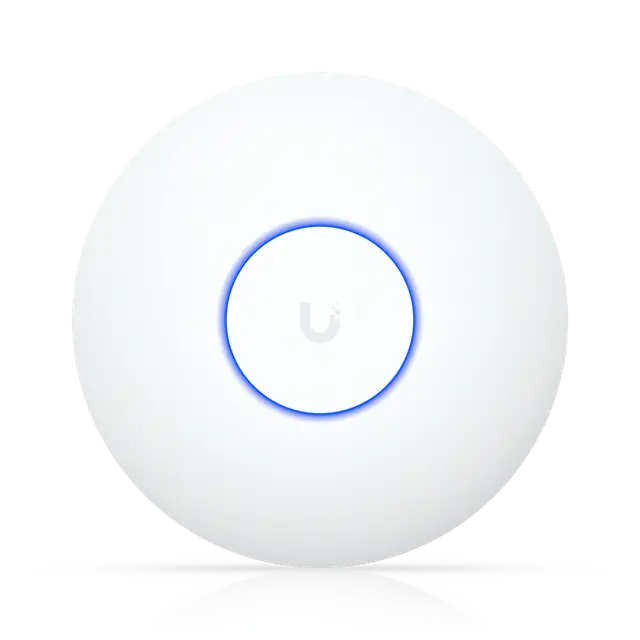
Ceiling
Access Point U7 Lite U7-Lite
€89 excl. VAT
- Wi-Fi standard
- Wi-Fi 7
- Bands and top speed
- 5 GHz 2×2: 4.3 Gbps (240 MHz)2.4 GHz 2×2: 688 Mbps (40 MHz)
- Network port
- 2.5 Gbps Ethernet
- PoE needed
- PoE
- Max power draw
- 13 W
- Mounting
- Ceiling, Wall
More about Access Point U7 Lite →Price from Ubiquiti’s EU store, 2026-11-07
A house with several floors. One access point per floor, preferably a U7 Pro, and a PoE switch with a budget for all of them. With thick walls or large areas you may need more.
Room by room. With concrete walls, in rented rooms or in hotels, an in-wall model per room can be easier than running cable to the ceiling, for example the U7 In-Wall.
Garden, deck and patio. The U7 Outdoor goes on the façade or a pole. It has a built-in directional antenna and two omnidirectional antennas in the box, and you choose in UniFi which ones it uses. The U7 Mesh and U6 Mesh also work outdoors and can be moved back inside.
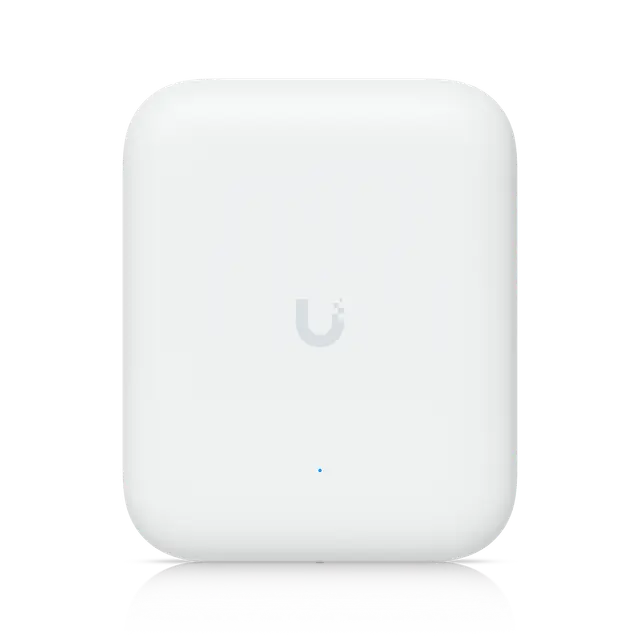
Outdoor and mesh
Access Point U7 Outdoor U7-Outdoor
€185 excl. VAT
- Wi-Fi standard
- Wi-Fi 7
- Bands and top speed
- 5 GHz 2×2: 4.3 Gbps (240 MHz)2.4 GHz 2×2: 688 Mbps (40 MHz)
- Network port
- 2.5 Gbps Ethernet
- PoE needed
- PoE+
- Max power draw
- 19 W
- Mounting
- Wall, Pole
Good to know
- Built-in directional antenna; the two included external omni antennas are selected in the software.
More about Access Point U7 Outdoor →Price from Ubiquiti’s EU store, 2026-11-07
An office with many users. The U7 Pro Max and U7 Pro XGS have 4×4 on 5 GHz and handle more devices. The U7 Pro XGS also has a 10 GbE port and needs PoE++.
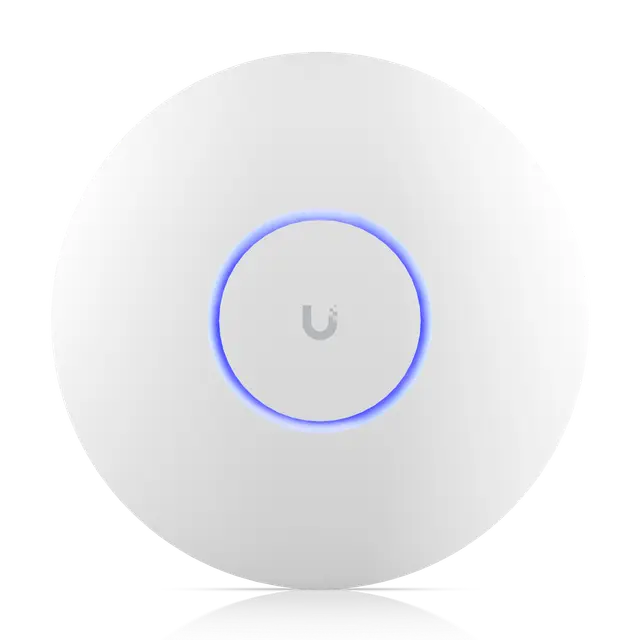
Ceiling
Access Point U7 Pro Max U7-Pro-Max
€250 excl. VAT
- Wi-Fi standard
- Wi-Fi 7
- Bands and top speed
- 6 GHz 2×2: 5.8 Gbps (320 MHz)5 GHz 4×4: 8.6 Gbps (240 MHz)2.4 GHz 2×2: 688 Mbps (40 MHz)
- Network port
- 2.5 Gbps Ethernet
- PoE needed
- PoE+
- Max power draw
- 25 W
- Mounting
- Ceiling, Wall
Good to know
- Has a dedicated spectral scanning radio for real-time analysis, which improves channel selection.
More about Access Point U7 Pro Max →Price from Ubiquiti’s EU store, 2026-11-07
The ceiling models side by side
19 of 22 featuresSwipe sideways to see more models.
| Feature | 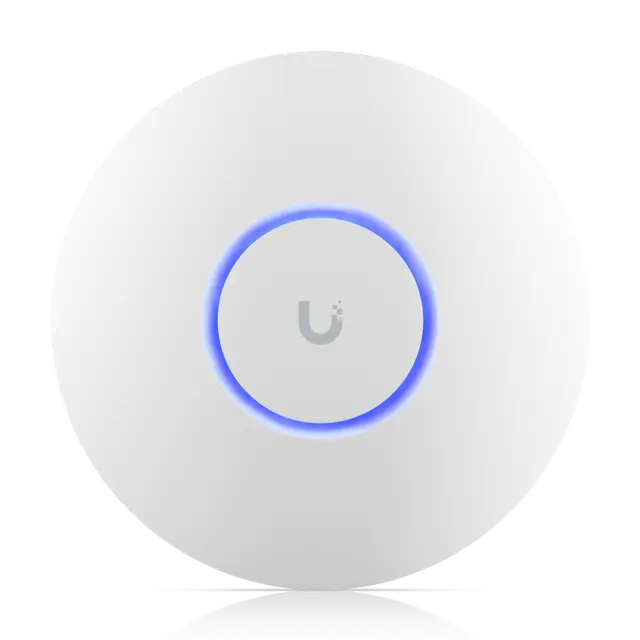 Access Point U6 PlusCeiling | Access Point U7 LiteCeiling | 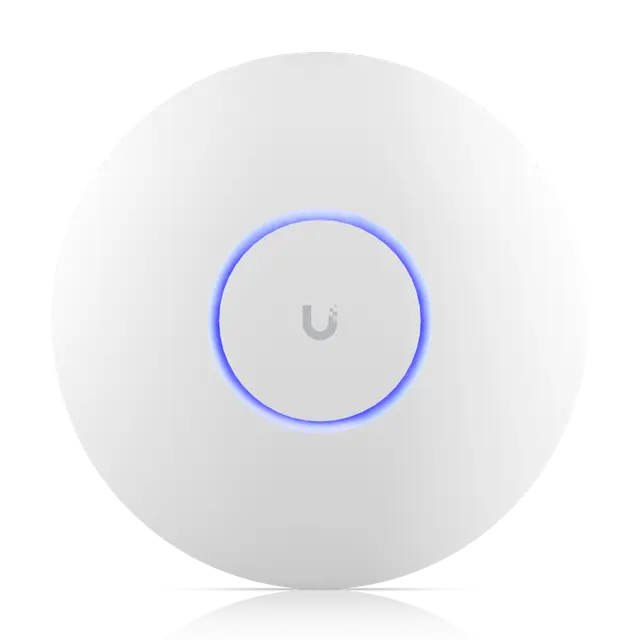 Access Point AC ProCeiling | 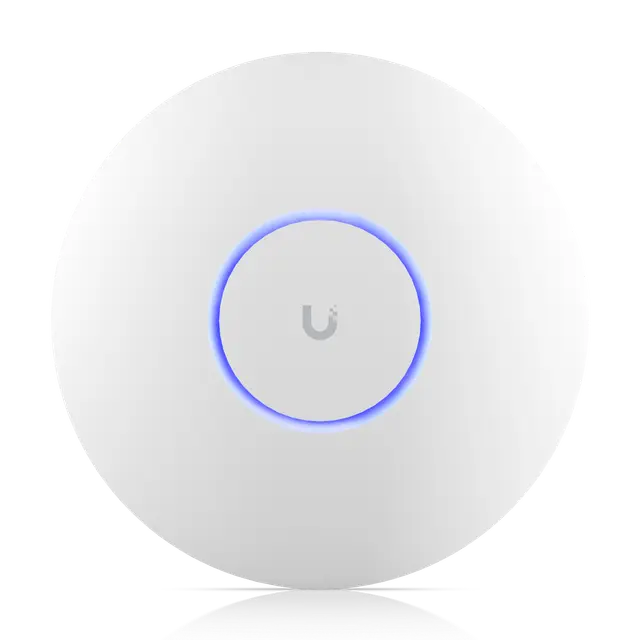 Access Point U6 ProCeiling | 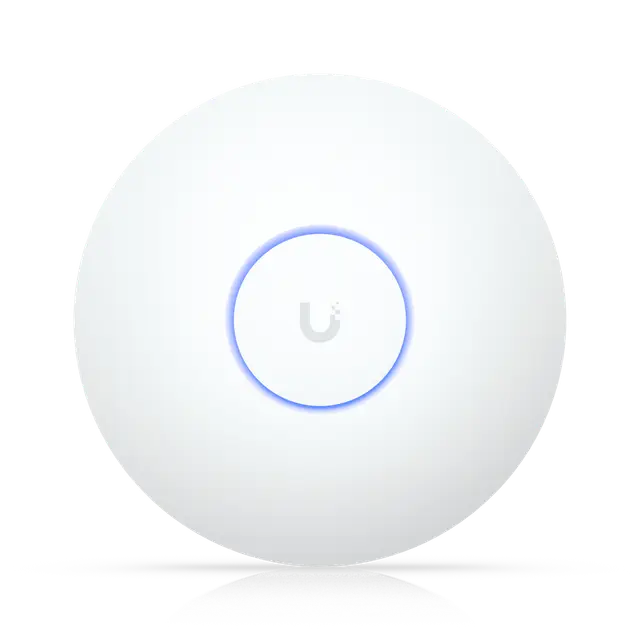 Access Point U7 Long-RangeCeiling | Access Point U7 ProCeiling | 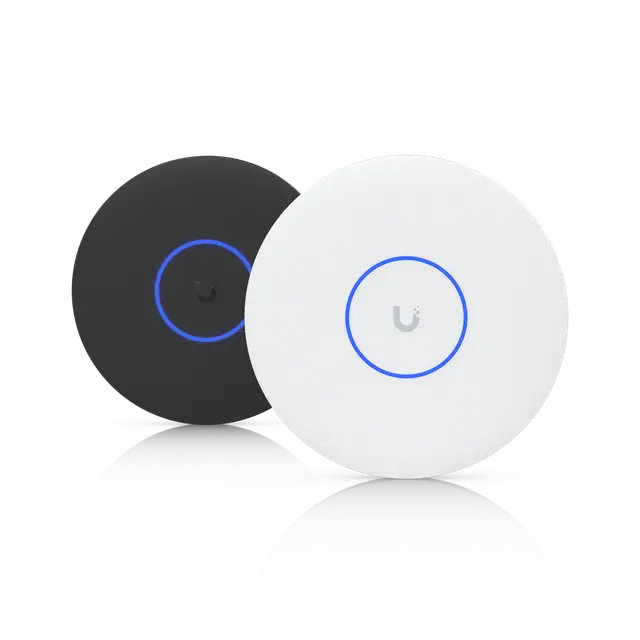 Access Point U7 Pro XGCeiling | 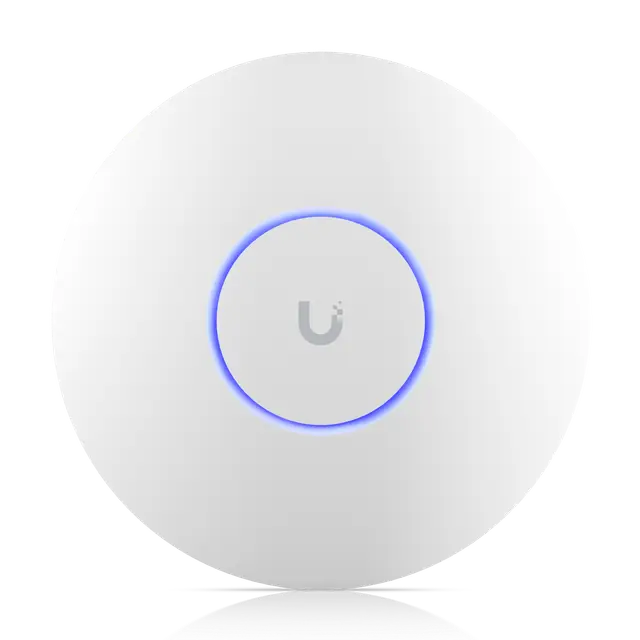 Access Point U6 EnterpriseCeiling | Access Point U7 Pro MaxCeiling | 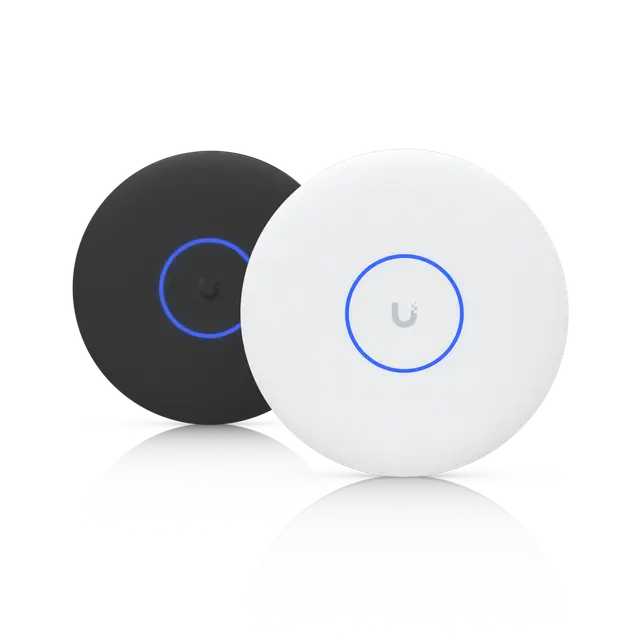 Access Point U7 Pro XGSCeiling |
|---|---|---|---|---|---|---|---|---|---|---|
| Overview | ||||||||||
| Price (excl. VAT) | €89 | €89 | €135 5-pack: €635 | €145 | €145 | €160 5-pack: €775 | White: €179 Black: €179 | €250 | €250 | White: €269 Black: €269 |
| Wi-Fi standard | Wi-Fi 6 | Wi-Fi 7 | Wi-Fi 5 | Wi-Fi 6 | Wi-Fi 7 | Wi-Fi 7 | Wi-Fi 7 | Wi-Fi 6E | Wi-Fi 7 | Wi-Fi 7 |
| Bands and top speed | 5 GHz 2×2: 2.4 Gbps (160 MHz) 2.4 GHz 2×2: 574 Mbps (40 MHz) | 5 GHz 2×2: 4.3 Gbps (240 MHz) 2.4 GHz 2×2: 688 Mbps (40 MHz) | 5 GHz 3×3: 1.3 Gbps (80 MHz) 2.4 GHz 3×3: 450 Mbps (40 MHz) | 5 GHz 4×4: 4.8 Gbps (160 MHz) 2.4 GHz 2×2: 574 Mbps (40 MHz) | 5 GHz 3×3: 4.3 Gbps (160 MHz) 2.4 GHz 2×2: 688 Mbps (40 MHz) | 6 GHz 2×2: 5.8 Gbps (320 MHz) 5 GHz 2×2: 4.3 Gbps (240 MHz) 2.4 GHz 2×2: 688 Mbps (40 MHz) | 6 GHz 2×2: 5.8 Gbps (320 MHz) 5 GHz 2×2: 4.3 Gbps (240 MHz) 2.4 GHz 2×2: 688 Mbps (40 MHz) | 6 GHz 4×4: 4.8 Gbps (160 MHz) 5 GHz 4×4: 4.8 Gbps (160 MHz) 2.4 GHz 2×2: 574 Mbps (40 MHz) | 6 GHz 2×2: 5.8 Gbps (320 MHz) 5 GHz 4×4: 8.6 Gbps (240 MHz) 2.4 GHz 2×2: 688 Mbps (40 MHz) | 6 GHz 2×2: 5.8 Gbps (320 MHz) 5 GHz 4×4: 8.6 Gbps (240 MHz) 2.4 GHz 2×2: 688 Mbps (40 MHz) |
| Wi-Fi | ||||||||||
| Spatial streams | 4 | 4 | 6 | 6 | 5 | 6 | 6 | 10 | 8 | 8 |
| Max clients | 300+ | 200+ | 250+ | 250+ | 300+ | 300+ | 300+ | 600+ | 500+ | 500+ |
| Coverage | 140 m² | 115 m² | 140 m² | 140 m² | 160 m² | 140 m² | 140 m² | 140 m² | 160 m² | 160 m² |
| Max TX power | 5 GHz: 23 dBm 2.4 GHz: 23 dBm | 5 GHz: 24 dBm 2.4 GHz: 23 dBm | 5 GHz: 22 dBm 2.4 GHz: 22 dBm | 5 GHz: 26 dBm 2.4 GHz: 22 dBm | 5 GHz: 27 dBm 2.4 GHz: 26 dBm | 6 GHz: 23 dBm 5 GHz: 26 dBm 2.4 GHz: 23 dBm | 6 GHz: 24 dBm 5 GHz: 26 dBm 2.4 GHz: 23 dBm | 6 GHz: 26 dBm 5 GHz: 26 dBm 2.4 GHz: 22 dBm | 6 GHz: 23 dBm 5 GHz: 29 dBm 2.4 GHz: 23 dBm | 6 GHz: 24 dBm 5 GHz: 29 dBm 2.4 GHz: 23 dBm |
| Antenna gain | 5 GHz: 5.4 dBi 2.4 GHz: 3 dBi | 5 GHz: 5 dBi 2.4 GHz: 4 dBi | 5 GHz: 3 dBi 2.4 GHz: 3 dBi | 5 GHz: 6 dBi 2.4 GHz: 4 dBi | 5 GHz: 6 dBi 2.4 GHz: 4 dBi | 6 GHz: 5.8 dBi 5 GHz: 6 dBi 2.4 GHz: 4 dBi | 6 GHz: 6 dBi 5 GHz: 5 dBi 2.4 GHz: 4 dBi | 6 GHz: 6 dBi 5 GHz: 5.3 dBi 2.4 GHz: 3.2 dBi | 6 GHz: 5.9 dBi 5 GHz: 6 dBi 2.4 GHz: 4 dBi | 6 GHz: 6 dBi 5 GHz: 6 dBi 2.4 GHz: 4 dBi |
| Wi-Fi chip | MediaTek MT7981 + MT7976C | Qualcomm IPQ5322 + QCN6422 | Qualcomm QCA9563 + QCA9880 | Qualcomm IPQ5018 + QCN9024 | MediaTek MT7987 + MT7991A + MT7976C | Qualcomm IPQ5322 + QCN6274 | Qualcomm IPQ5322 + QCN6274 | Qualcomm IPQ5018 + QCN9024 (×2) | Qualcomm QCN6274 (×2) + QCN9160 | Qualcomm QCN6274 (×2) + QCN9160 |
| Connection and power | ||||||||||
| Network port | 1 Gbps Ethernet | 2.5 Gbps Ethernet | 1 Gbps Ethernet | 1 Gbps Ethernet | 2.5 Gbps Ethernet | 2.5 Gbps Ethernet | 10 Gbps Ethernet | 2.5 Gbps Ethernet | 2.5 Gbps Ethernet | 10 Gbps Ethernet |
| Ports | 1 × 1 Gbps RJ45 (PoE input) | 1 × 2.5 Gbps RJ45 (PoE input) | 1 × 1 Gbps RJ45 (PoE input) 1 × 1 Gbps RJ45 | 1 × 1 Gbps RJ45 (PoE input) | 1 × 2.5 Gbps RJ45 (PoE input) | 1 × 2.5 Gbps RJ45 (PoE+ input) | 1 × 10 Gbps RJ45 (PoE+ input) | 1 × 2.5 Gbps RJ45 (PoE+ input) | 1 × 2.5 Gbps RJ45 (PoE+ input) | 1 × 10 Gbps RJ45 (PoE++ input) |
| PoE needed | PoE | PoE | PoE | PoE | PoE | PoE+ | PoE+ | PoE+ | PoE+ | PoE++ |
| Max power draw | 9 W | 13 W | 9 W | 13 W | 14 W | 21 W | 22 W | 22 W | 25 W | 29 W |
| PoE adapter included | No | No | Yes | No | No | No | No | No | No | No |
| Physical | ||||||||||
| Weatherproofing (IP rating) | – | – | – | IP54 | – | – | – | – | – | – |
| Dimensions | ⌀160 × 33 mm | ⌀171.5 × 33 mm | ⌀196.7 × 35 mm | ⌀197 × 35 mm | ⌀175.7 × 43 mm | ⌀206 × 46 mm | ⌀206 × 32.5 mm | ⌀220 × 48 mm | ⌀206 × 46 mm | ⌀215 × 32.5 mm |
| Weight | 338 g | 313 g | 350 g | 580 g | 448 g | 680 g | 750 g | 960 g | 680 g | 800 g |
| Operating temperature | -30 to 60 °C | -30 to 40 °C | -10 to 70 °C | -30 to 60 °C | -30 to 50 °C | -30 to 40 °C | -30 to 40 °C | -30 to 60 °C | -30 to 50 °C | -30 to 40 °C |
| Good to know | ||||||||||
| Notes | – | – | Only the single unit comes with a PoE adapter; the 5-pack does not. Can be powered by standard PoE (802.3af/at) or by passive 48 V PoE. | – | – | – | The uplink port supports 10, 5, 2.5 and 1 GbE, so the access point can also connect to a slower switch port. | – | Has a dedicated spectral scanning radio for real-time analysis, which improves channel selection. | Has a dedicated spectral scanning radio for real-time analysis, which improves channel selection. The uplink port supports 10, 5, 2.5 and 1 GbE, so the access point can also connect to a slower switch port. |
Prices in euros excluding VAT from Ubiquiti’s EU store, fetched 2026-11-07. The store may add a temporary surcharge for memory costs of about 10%.
“Not specified” means that neither Ubiquiti nor the sources we use state the value. “–” means it does not apply to the product.
Every model, with filters for Wi-Fi standard, MIMO per band, network port, PoE and power draw, is in the UniFi access point comparison.
Frequently asked questions
How many access points do I need?
It depends mostly on the walls. In an ordinary house, one per floor is a good start. Ubiquiti expects an access point to cover 95–185 square metres, but recommends at least one per 95 square metres for the best result. Measure the signal with Ubiquiti’s WiFiman app: better than −70 dBm where you sit is enough for a stable connection, −60 dBm or better gives good speeds and around −50 dBm full speed (the closer to zero, the stronger).
Can I mix access points with Wi-Fi 5, 6 and 7?
Yes. They send the same network with the same name and password. Each device gets what both it and the access point it is connected to can handle.
Do I need a PoE switch?
Not for one or two access points: a PoE injector per access point is enough, if one isn’t already in the box. With more, a PoE switch is simpler, and if an access point hangs you can cut its power remotely from UniFi Network.
Why does a speed test over Wi-Fi show less than the box says?
That is expected. The box gives the link rate, often added up over all bands. Control information, acknowledgements and waiting for a turn all come off it, and Wi-Fi is also shared between every device and both directions. A device gets roughly half the link rate it has to the access point itself, which UniFi Network shows, sometimes more close to the access point. A test against the internet also never shows more than your subscription.
Do the prices include VAT?
No. Prices are in euros excluding VAT and come from Ubiquiti’s EU store. The date we fetched them is shown under the tables and on the product cards.